
Design templates
Want to design your own certificate background in Canva, Illustrator, Affinity, Figma or PowerPoint? Use these guides. Design the artwork without the dynamic text, upload it in the certificate designer, and DigitalCredentials adds the student name, dates, signatures and QR code.
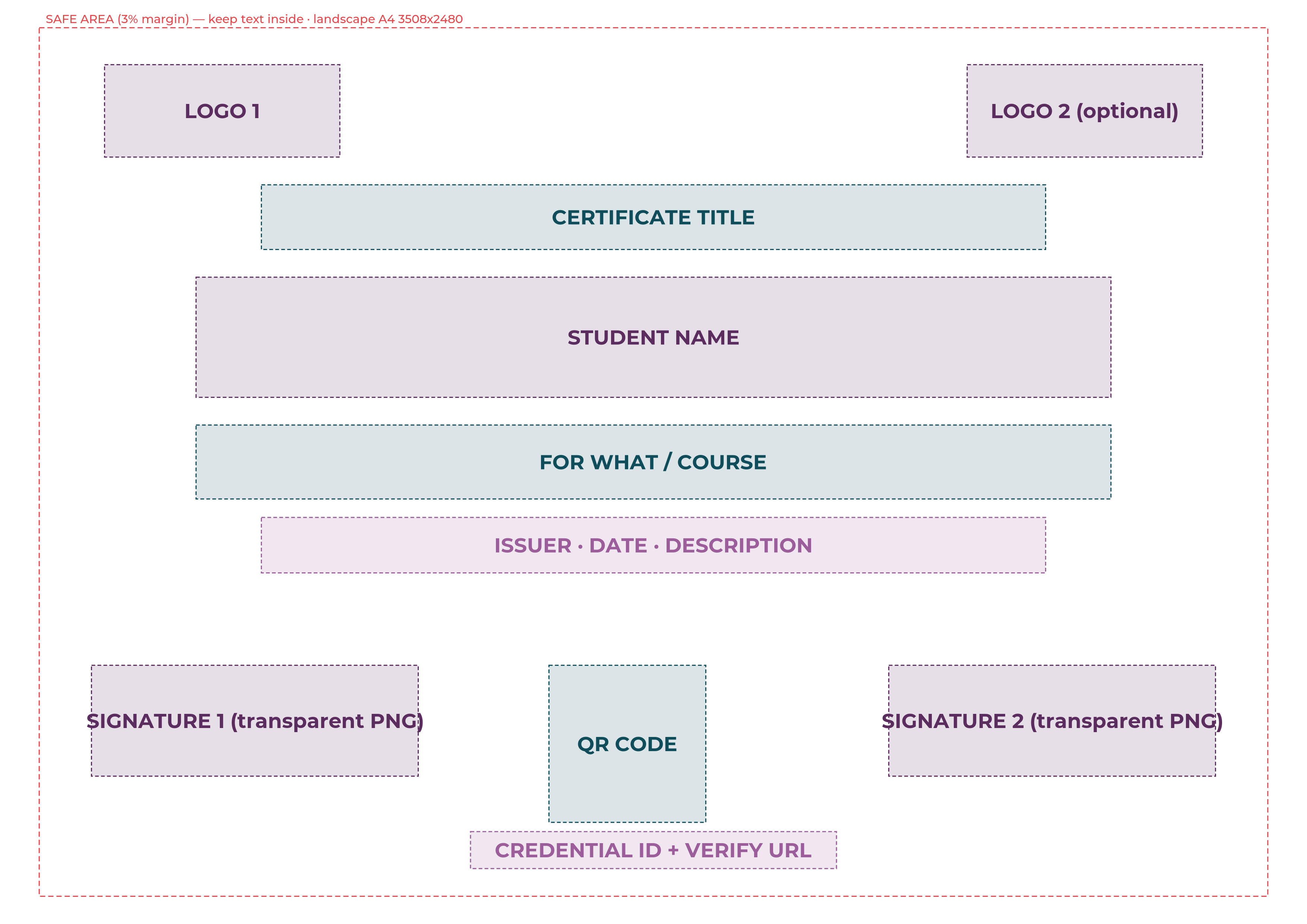
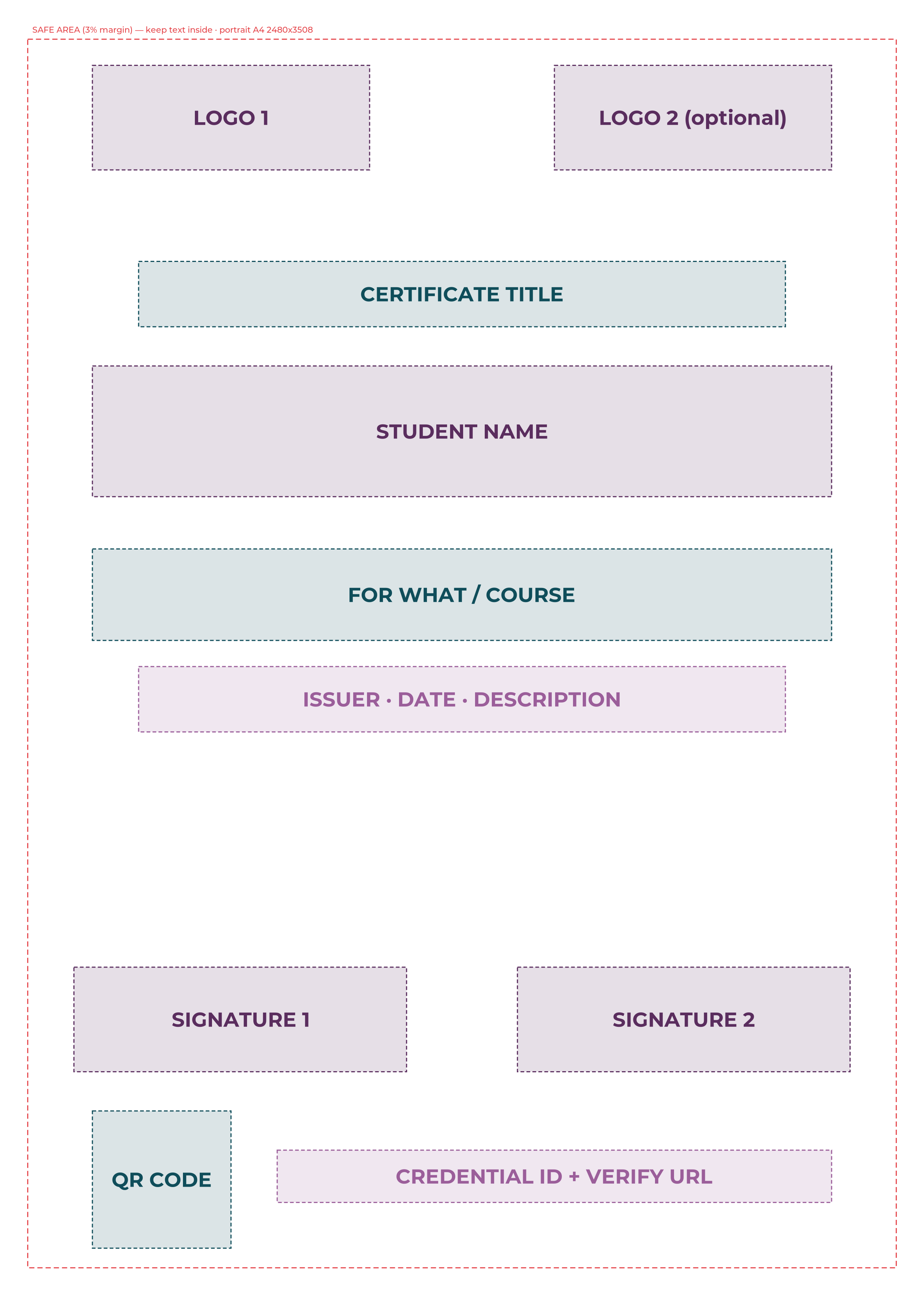
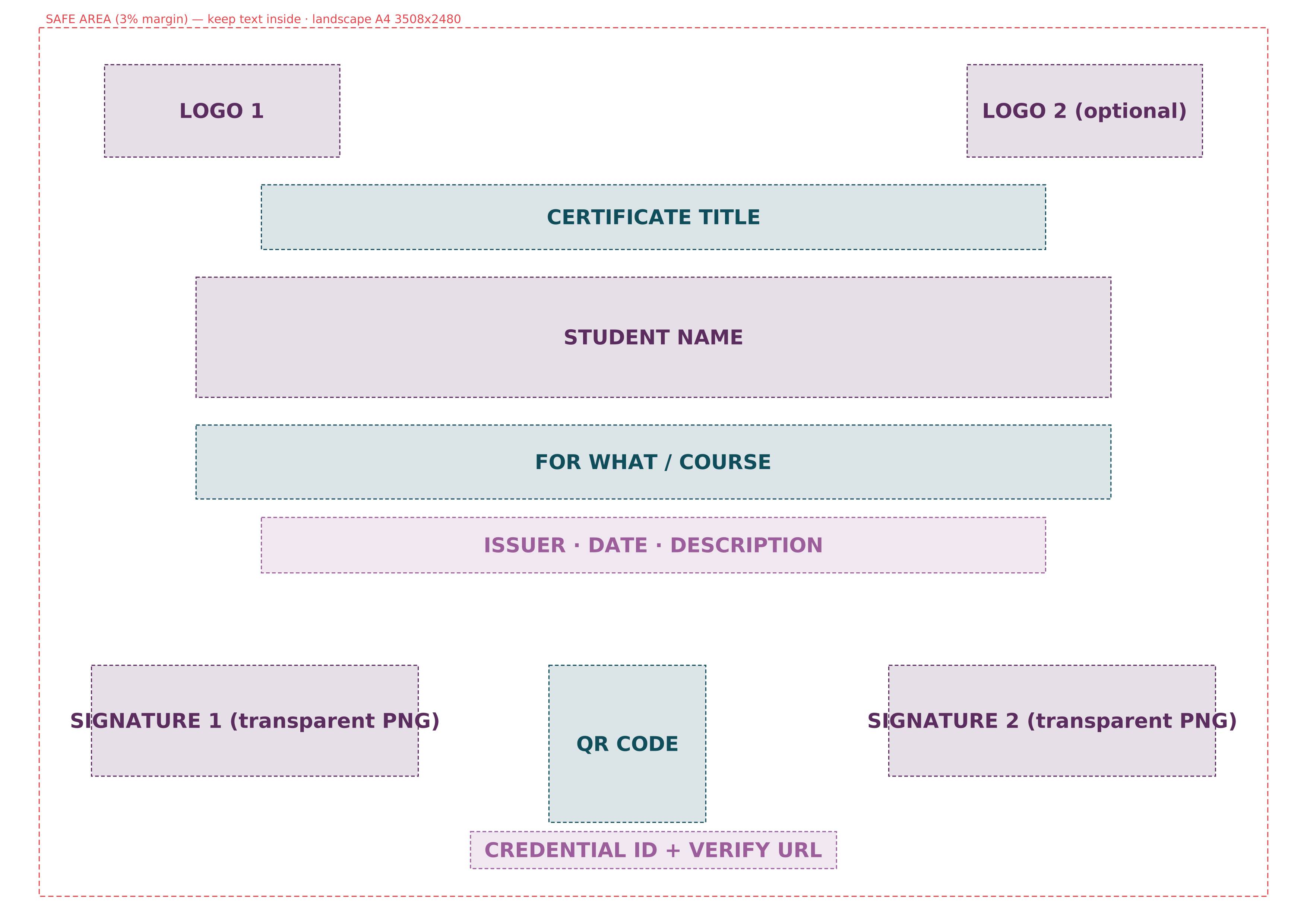
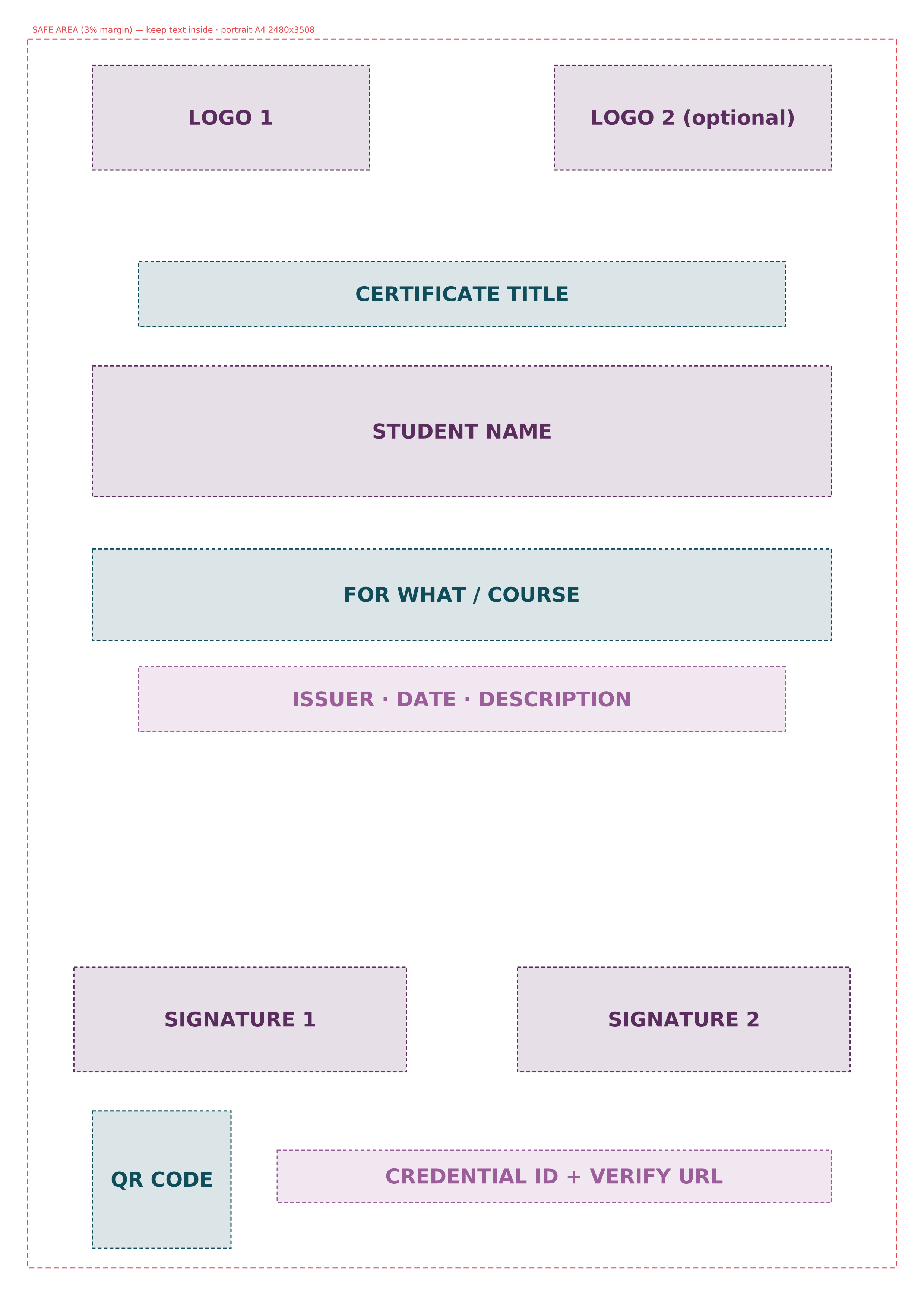
Specifications
- Background: PNG or JPG, RGB, at most 8 MB. Keep important artwork 3% in from every edge.
- Canva: set a custom size of 297 × 210 mm (landscape) or 210 × 297 mm (portrait). Import the template PNG as a guide layer and delete it before you export.
- Logos: PNG with a transparent background, at least 600 px wide.
- Signatures: PNG with a transparent background, dark ink, about 1200 × 400 px and tightly cropped. Up to two per certificate.
- QR zone: keep it plain and light, at least 2.5 × 2.5 cm when printed.
- Colours: set any hex code in the designer and save it as a palette preset.
Download the full specification (Markdown) · Sample CSV for bulk issuing